





Business Knowledge
Contents
Private beta
Business Knowledge is in private beta. If Business Knowledge isn't in your PostHog sidebar, your project isn't in the beta yet. Send feedback in the app.
Business Knowledge stores the facts PostHog uses when it answers questions about your business. PostHog AI, Support, and the Business Knowledge MCP tools all read the same sources.
Where you can use it
PostHog AI
Answers questions about your product, policies, and team from these sources.
How PostHog AI uses it →Where knowledge comes from
Every answer comes from sources you add or turn on.
Learned from support
Reusable answers from resolved Support tickets, once you turn on learning.
Learn from support →GitHub
Finds files by name and README in repositories you select. Your code is not indexed.
Connect a repository →Use cases
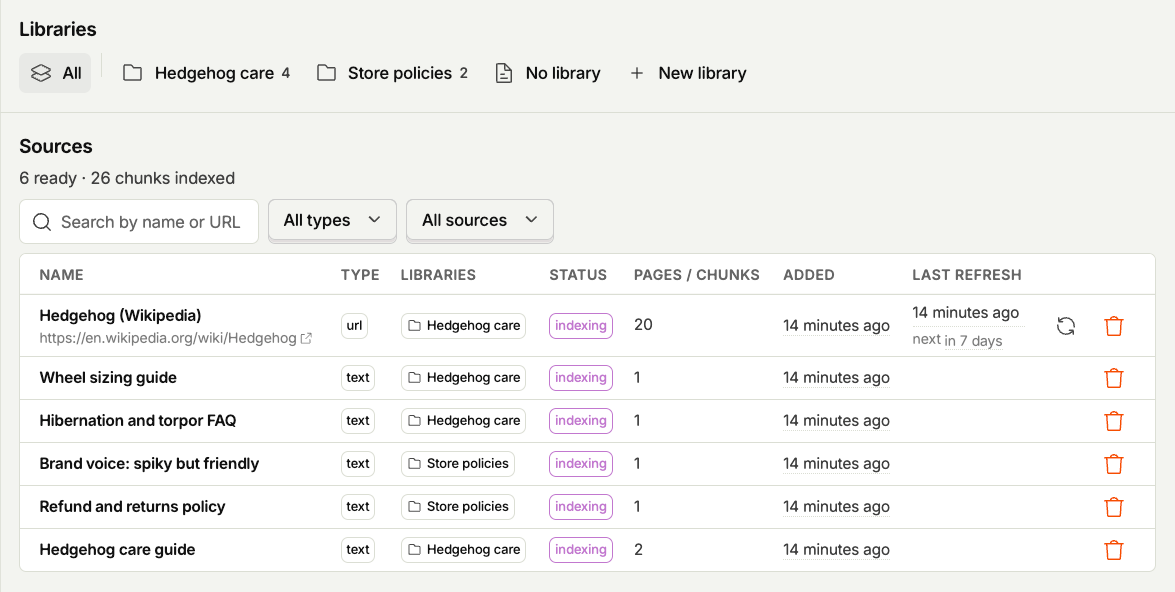
- A customer asks about refunds. Support drafts the reply from the refund policy you pasted or the page you indexed.
- A teammate asks which plan includes a limit. PostHog AI answers from your pricing page.
- Every reply needs the same tone. Turn on Always include in replies for your tone guide, and every answer includes it.
- Your docs change. A URL source on a daily refresh picks up the new pages.
- Your team answered the same question last week. With Learn from support on, PostHog reuses that answer.
- Your handbook lives in GitHub. Select the repository, and agents find the file by name and read it.
Answers stay empty until two checks pass. See Turn on AI data processing.