





Use Support in Slack
Contents
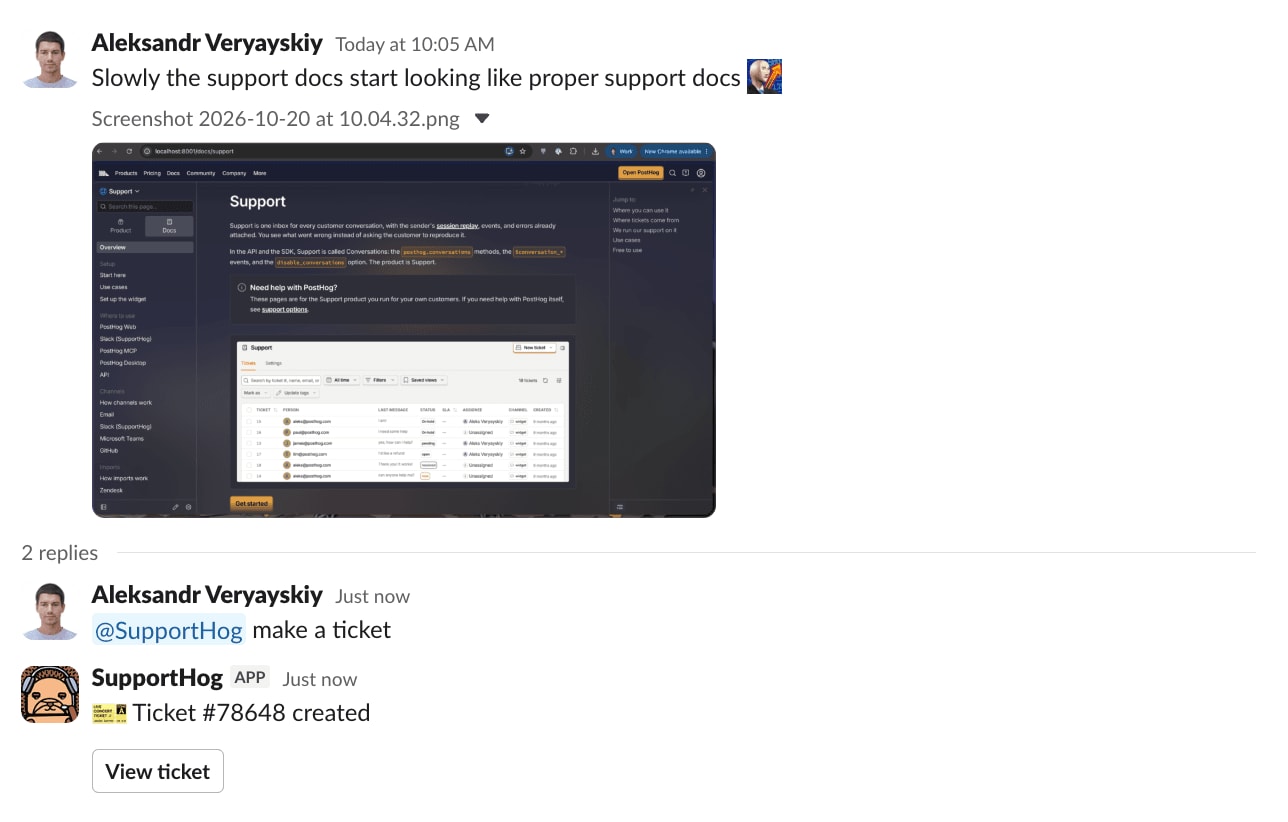
SupportHog is how a support team works in Slack. Customers raise a ticket with @SupportHog or a :ticket: reaction. Your team replies in the same thread, and that reply lands on the ticket as a message from your team. You do not have to open the web app for a short reply.
This page is Slack as the place you do the work. To turn a channel into a ticket source, connect Slack.

Before you start
- Set up Support – enable conversations and connect a channel so tickets arrive in your inbox.
- Install SupportHog – add the bot to your workspace and invite it to the channels you use:
/invite @SupportHog.
Raise a ticket
There are four ways a Slack message becomes a ticket. The connect Slack page has the full rules.
- Support channel – every top-level message in a channel you marked as a support channel becomes a ticket. Thread replies sync as ticket messages.
- Mention – type
@SupportHogin any channel the bot is in. A mention inside an existing ticket thread adds a comment instead of a new ticket. - Emoji – react with the ticket emoji (default
:ticket:) on any message. - Nudge – outside a support channel, SupportHog can ask in the thread whether to open a ticket. The prompt has Open ticket and No thanks buttons.
Reply from the thread
When a teammate replies in a SupportHog ticket thread, PostHog stores that reply on the ticket as a team message. The customer sees it on the channel the ticket came from. A reply you send from the inbox is posted back into the same Slack thread, with your name on it.
Private notes never go to Slack. Use them for internal context.
Why Slack
- Shared channels – a Slack Connect channel with a customer is a support queue. PostHog runs its own enterprise support this way. A message in the shared channel becomes a ticket, including while you are offline.
- One thread, two places – the Slack thread and the PostHog ticket stay in sync. Images move with the messages.
- Nudges catch the rest – customers do not have to remember the emoji. SupportHog asks when a message looks like a request.
Ask @PostHog about your tickets
The @PostHog Slack app is in beta, so some behaviors may still change.
@PostHog is a different app from SupportHog. Mention it when you want an agent to query support data or to work on a Self-driving report. It does not create tickets. Install @PostHog separately, and make sure your Slack email matches your PostHog account.
In a thread, you can:
- Ask about your support data, like
summarize my open ticketsorwhat's the oldest unresolved one? - Review the Self-driving reports built from your conversations, and approve, steer, or decline them.
- Ask it to plan a fix. It runs checks and opens a draft pull request, replying in-thread as it goes.
For everything else the app can do, see the Slack app docs.